
Content Studio / Content Studio Administration
System Health
Use System Health to review the installation and identify configuration issues.
Run the Checks
Select System Health in the administration navigation. Content Studio runs the checks automatically after the page opens. Select Refresh to run them again after a hosting or configuration change.
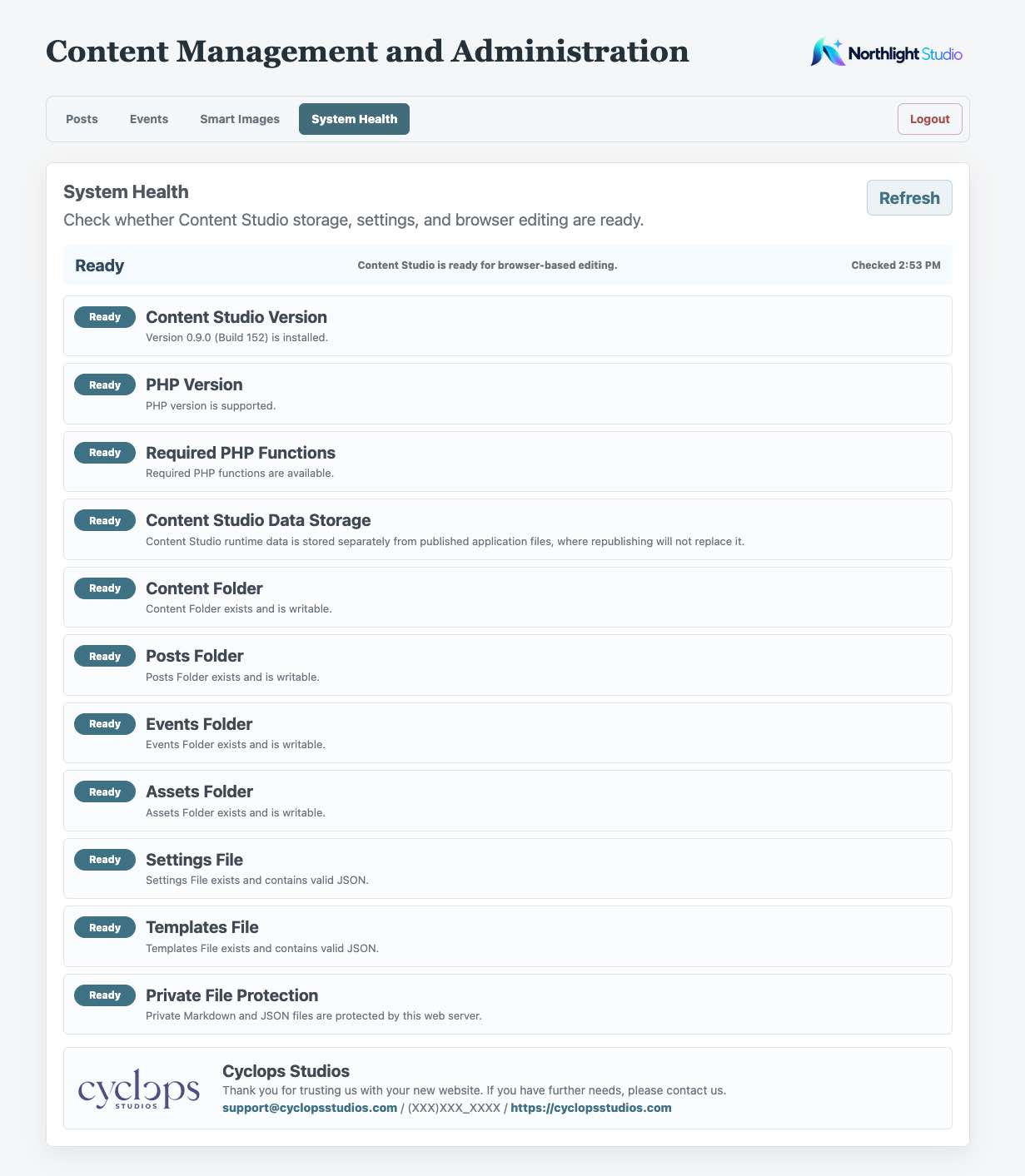
Understand the Result
Ready means the visible checks passed. It does not confirm that every configured Smart Image Destination reached the published site or that both optional logos are present. Attention identifies guidance to review; Action Required identifies checks needing correction. Confirm the expected destination cards separately after publishing.
What System Health Checks
System Health reports Content Studio Version, including the product version and internal build number, plus PHP support and capabilities, runtime storage, writable folders, and valid settings and templates. Build 93 uses internal build 152. It also checks for private-file protection rules; this does not directly test whether the host blocks private URLs. Posts- or Events-specific checks appear when those features are enabled.
Respond to a Problem
Read the message beside the affected check and contact the site developer or hosting provider when needed. The support details at the bottom of System Health are configured by the developer in the Admin inspector. An optional Developer Logo appears beside those details. Clients cannot replace it through Smart Images. If no logo is selected, the support information remains available without a logo.