
Content Studio / Publishing & Moving Sites
Local Folder Publishing
Use Local Folder publishing for development and local verification.
What Local Folder Publishing Does
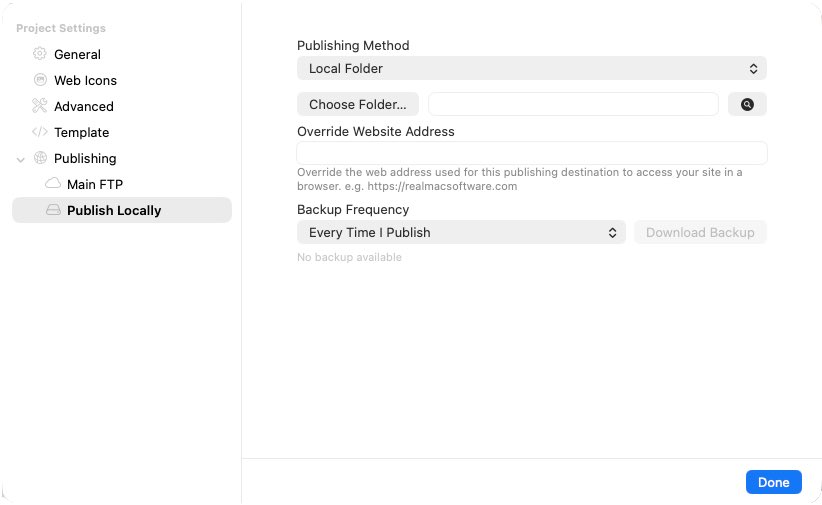
A Local Folder destination writes the generated site to a folder you choose instead of sending it directly to a web server. In Elements 3, select or create a Local Folder publishing destination, then use Publish Site.
Published Content Studio Structure
In the current Elements 3 output, Content Studio is published beneath rw/elements/com.cyclopsstudios.cms/. The cyclops-cms application folder and, after initialization, its cyclops-cms-data runtime sibling remain separate.
Local Output Is Not Automatically Live
The folder is a generated site copy. It becomes a live website only after you place it on a compatible PHP server or serve it locally through PHP. Opening the files without PHP cannot initialize or run Content Studio.
When Runtime Data Is Created
A fresh Local Folder publish does not create an initialized runtime simply by exporting. Runtime storage is created when you explicitly initialize Content Studio while the published site is running under compatible PHP. If that local PHP copy is initialized, its cyclops-cms-data folder contains real site data and must be protected.
When This Workflow Is Useful
Local Folder publishing is useful for inspecting generated output, testing on a controlled PHP environment, or preparing files for a later server upload. When moving the result, preserve the generated structure and treat any initialized runtime as authoritative data.