
Content Studio / Content Studio Administration
Administration Overview
Understand the main areas and everyday workflow of the Content Studio administration interface.
Main Workspaces
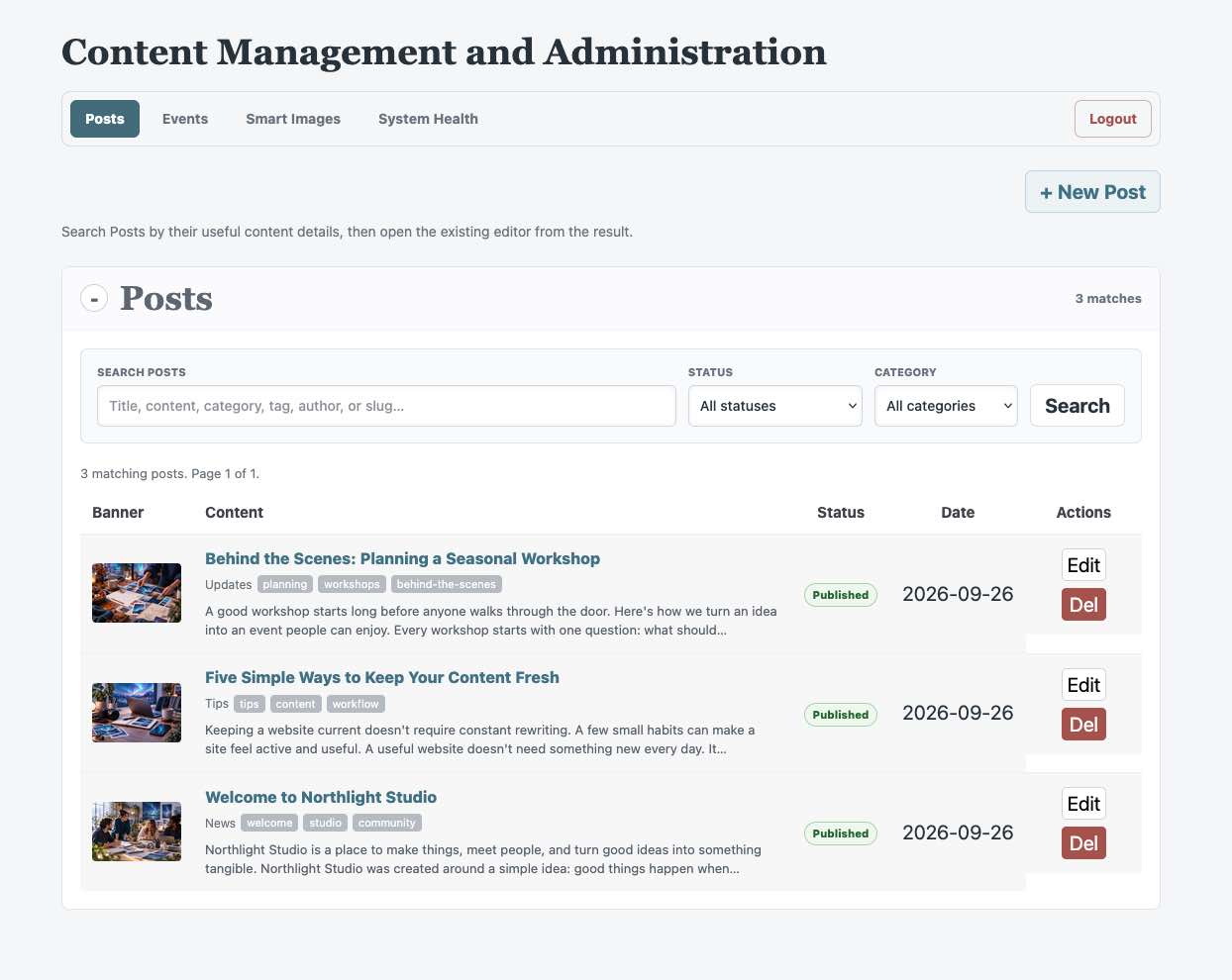
Use Posts to manage articles and news, Events to manage dated or recurring activities, Smart Images to assign shared images to the destinations configured for the site, and System Health to review installation readiness. Media Manager opens whenever you choose or insert an image, and it can also be opened from Smart Images. Select Logout when you finish.
Everyday Workflow
1. Open Posts or Events and create a new item, or search the dashboard and open an existing item.
2. Complete the title, content, image, and item-specific fields.
3. Choose Draft or Published.
4. Select Save Post or Save Event. For an eligible published Post, Save & Preview saves first and then opens its public page.
Smart Images works differently: choose or remove an image, update its alt text, and wait for the All settings saved confirmation. Use System Health whenever editing or storage does not behave as expected.
The developer sets the Admin heading in Elements and can enable a client Site Logo using the site-logo destination. You can replace its assigned image in Smart Images. Developer contact details and the optional Developer Logo in System Health are configured separately in Elements; they are not client-editable Smart Images settings.